Product demo
See Onegoin run a real studio.
Follow one project from the first enquiry to the final invoice — the drawings, the approvals, the BOQ and the billing, in the order a studio actually meets them.
30 minutes · mapped to your projects · no card needed
Green Residence
New enquiryProgress
Contract value
Tasks
Client
Enquiry captured from the website form09:10
One project, one working day
Drag the timeline — the workspace above moves with it. Sample data.
The walkthrough
One project, six moments that matter.
Scroll to move through it, or jump to any stage. Screens captured from the product are labelled as such; the two we haven't photographed yet show the underlying record.
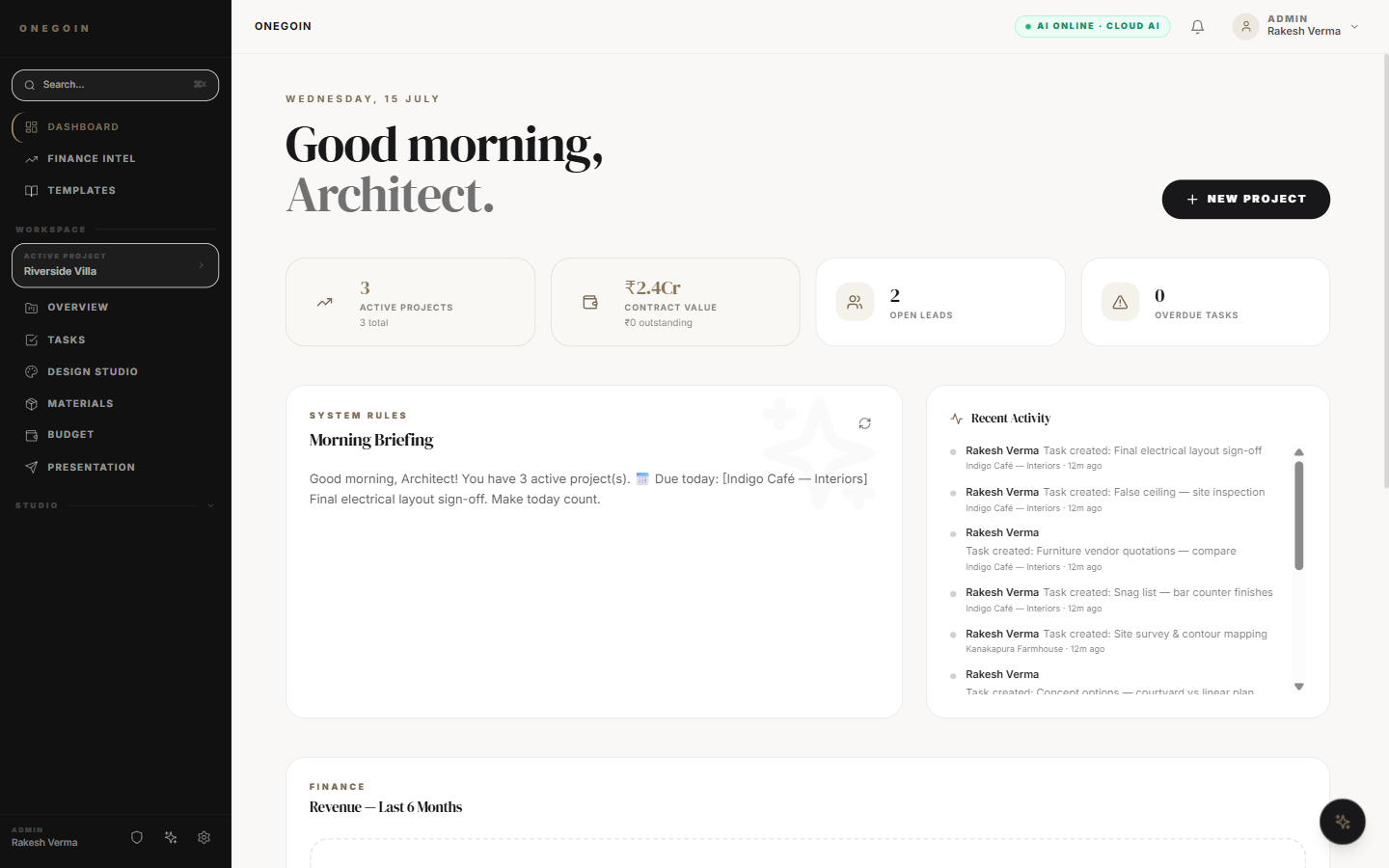
01 — Enquiry
The enquiry lands where the work happens.
A website enquiry becomes a lead in the studio workspace — not a message somebody has to remember to forward.
- Captured from your site or a shared link
- Assigned to an owner automatically
- Visible on the studio dashboard from minute one
02 — Proposal
Scope becomes a proposal the same afternoon.
Build from reusable scopes instead of re-keying line items, then send it for the client to approve.
- Reusable scope and rate templates
- Line items flow into the project BOQ
- Client approves from a portal link
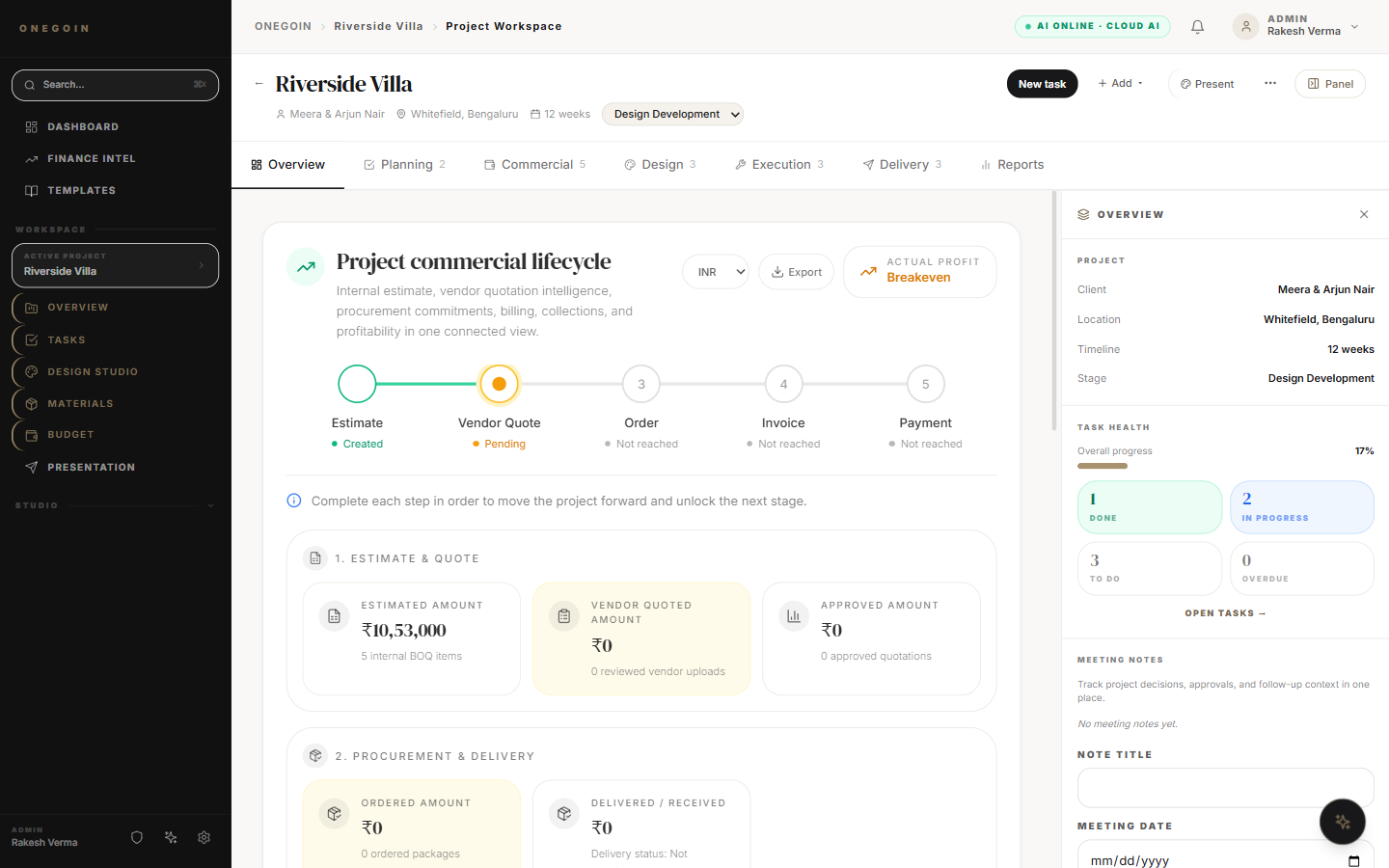
03 — Project
One project record, start to finish.
Estimate, vendor quotes, orders, invoices and payment sit on one commercial lifecycle — so the money always has a current answer.
- Stages from brief to handover
- Estimate → quote → order → invoice → paid
- Profitability visible while the work is live
04 — Tasks
The work stays on the record.
Site inspections, sign-offs and snags live on the project instead of scattering across chats.
- Board, timeline and list views
- Due dates, owners and priorities
- Site updates attached to the project
05 — BOQ
The BOQ stops being seven spreadsheets.
Import once, then watch budget against actuals move as vendor quotes and costs land.
- Import straight from your Excel BOQ
- Category breakdown across the project
- Budget vs actuals with profitability
06 — Invoice
Milestones turn into GST invoices.
Raise the invoice from the milestone it belongs to, in rupees, and collect through Razorpay.
- GST-ready invoice numbering
- Raised from project milestones
- Collected via UPI, card or netbanking
The live session
During your 30 minutes.
Hover any block to see where we'll be in the product.
What a live project looks like
Green Residence, mid-construction.
This is the shape of a project record once a studio has been running it for a few months.
Contract value
across the project
Timeline
construction stage
Documents
drawings and files issued
Meetings
logged with notes
Invoices
raised from milestones
Approvals
recorded in the portal
Sample project — figures illustrate what a live studio record looks like, not a customer's data.
Book a time
Bring your messiest project.
We'd rather map a real one than run a rehearsed tour.
Reserve a studio walkthrough.
Thirty minutes with someone who knows the design–build workflow. Tell us a couple of times that suit you and we confirm within one business day.
- Tailored to your studio, not a generic tour
- Bring a real project and we map it live
- Migration advice for projects already running
- Honest answers on pricing, security and the AI features
Prefer email? Write to sales@onegoin.com
Length
30 minutes
Format
Video call
Confirmation
Within 1 business day
Before you book
Questions we get asked first.
Do I need a credit card to try it?
No. The 14-day trial needs no card, and when it ends your workspace stays on a free plan rather than locking you out.
How long does onboarding take?
Most studios have their first real project running during the 30-minute call. Bringing older projects across usually happens over a couple of weeks, at your pace.
Can I import projects I already have?
Yes. BOQs import straight from Excel, and there is a project importer for bringing an existing project across. Bring one to the demo and we will do it live.
Does it handle GST?
Yes — invoices are GST-ready and billed in rupees, with payments collected through Razorpay via UPI, cards or netbanking.
How secure is my studio data?
Each studio workspace is isolated, access is role-based, admin actions are recorded in audit logs, and sign-in can be restricted to invited Google accounts. Full detail is on the security page.
Do my clients need accounts?
No. Clients view progress and approve work through a portal link — no account, no seat, on every plan.
Ready to run the whole studio from one place?
Book the walkthrough, or start free and bring one project across this week.